
By Paulius Petravicius
Sam, a fictional first-time project manager, has five tabs open before the delivery review. There is a RAID template from a template shop, a risk register requested by audit, an action list in chat, a steering committee decision record and a Reddit argument about what RAID actually means. Each looks reasonable. Three contain the same supplier problem, with different owners.
The meeting starts with a familiar question: “Which one are we updating?” Nobody asks whether the supplier problem has changed.
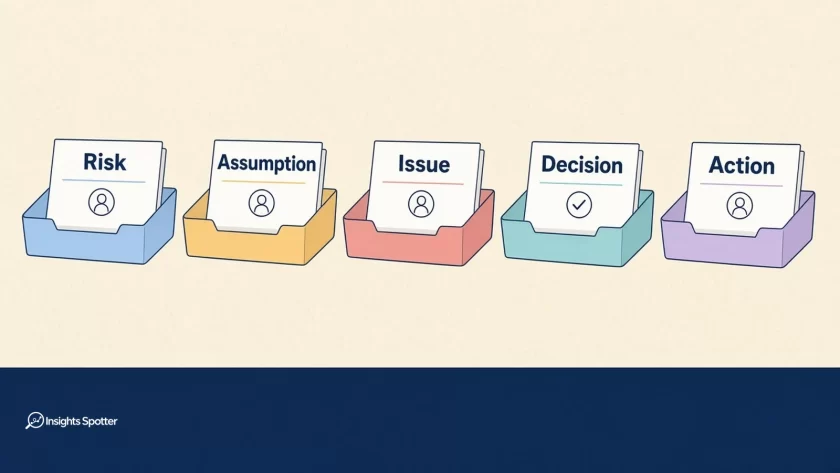
The useful answer to raid log vs risk register starts with ownership. You usually need clear trays for different kinds of information, rather than five duplicate spreadsheets. RAID can provide the weekly working view. A risk register earns a separate life when governance needs deeper assessment, approvals or retention. An actions log is a peer tray for agreed follow-ups, each with a named owner, due date and completion condition.
Five trays, defined
InsightSpotter teaching map: These five trays and the chooser rules below are educational aids for local adaptation. Organisations design their own register sets and fields. This is not an official PMI, PeopleCert or ISO crosswalk.
Risk register: Uncertain events or conditions that could affect objectives, with analysis, responses and ownership. Risks include threats and opportunities.
Issue log: Current problems affecting delivery, or likely to do so without prompt resolution. Use your organisation’s broader issue categories where required.
Decision log: Authorised choices, with their rationale, authority, conditions and consequences. A proposal remains distinguishable from an approval.
Actions log: Agreed oversight follow-ups, each with one named owner, a due date and an explicit completion or evidence condition.
RAID log: A consolidated working register for ownership, follow-up and closure, using an agreed expansion of the letters and links to fuller records where needed.
Compare the five trays before choosing a file
The table gives suggested starting fields and owner rules, not mandatory method requirements. “Dedicated” can mean a controlled view within an existing tool; it need not mean another workbook.
| Tray | What it holds | Time horizon | Suggested minimum fields | Typical owner rule | When a dedicated log wins | When RAID can hold it |
|---|---|---|---|---|---|---|
| Risk register | Uncertainty affecting objectives; analysis and responses | What might happen | ID, cause/event/effect, likelihood, impact, response, owner, review date, status | One person maintains the exposure and drives the response | Governance needs fuller assessment, approvals, retention or programme visibility | Risk fields and access controls meet the actual requirements |
| Issue log | Current problems and their delivery consequences | What is happening now | ID, problem, impact, priority, resolution owner, next step/date, status, closure evidence | One person coordinates resolution | Volume, restricted access or resolution workflow needs its own view | Issues remain distinguishable and resolution can be followed |
| Decision log | Choices and their authority trail | Choice needed; then historical record | ID, choice, options/rationale, authority, date, conditions, consequences, linked actions | Record owner is distinct from approving authority where needed | Frequent governance choices need searchable approval history | Actions & Decisions expansion is used and approval evidence fits |
| Actions log | Agreed oversight follow-ups | Work due by an agreed date | ID, commitment, named owner, due date, completion condition, status, evidence, related ID | One person owns completion or obtains its evidence | Follow-ups span meetings or forums and need a focused review | Actions & Decisions expansion is used and volume stays manageable |
| RAID log | Consolidated entries under one declared expansion | Mixed: future, present and follow-up/history | ID/type, summary, owner, status, next step, relevant date, evidence, related IDs; type-specific fields | Each row has one owner; register custodian maintains consistency | A shared working view makes exceptions easier to review | It is the working container; link out when detail or controls exceed it |
These are peer choices about handling information. RAID overlaps the other trays because it combines selected types; it is not a fifth kind of event. A project might use one RAID register plus a controlled risk register, with stable links between them.
RAID log vs risk register: breadth versus depth
Both RAID expansions used in the InsightSpotter RAID log guide and template are equally valid:
- Risks, Assumptions, Issues, Dependencies. Useful when untested beliefs and external dependencies need attention, while actions and decisions have linked homes.
- Risks, Actions, Issues, Decisions. Useful when the working review centres on commitments and authorised choices.
Choose one expansion per register. Write it at the top. When records cross between views, use unambiguous prefixes such as RSK, ISS, ACT and DEC, rather than expecting “A” or “D” to explain itself.
A risk register gives uncertainty more room. APM’s risk management overview describes documenting risks, analysis and responses, with clear ownership of actions. It also covers opportunities as well as threats. A register containing only bad things that have already happened misses that purpose.
Separation becomes useful when a risk needs assessment history, response approval, acceptance authority or access controls that the shared sheet cannot support. Those requirements come from your governance arrangements. Creating another file does not establish them.
Keep the fuller risk record authoritative. The RAID view can show its ID, current exposure, owner and next review, linking back for detail. Agree how that summary stays current. Two independently edited likelihood scores create reconciliation work without improving the response.
For timing, the public abstract of PMI’s “Risks vs. issues” distinguishes an event that has not happened from something that already has. If the relevant risk occurs, create or link the resulting issue and record the transition in the risk history. Do not erase the original assessment or assume every remaining uncertainty has disappeared.
There is a method boundary here. PeopleCert’s PRINCE2 7 explanation of issues uses a broader capture concept, including concerns, opportunities and change requests. Not every issue becomes a change. Our practical “current problem” tray is therefore a teaching simplification, not a replacement for PRINCE2 terminology or your local issue procedure.
Action log vs issue log: give the follow-up its own identity
An issue describes the problem. An action describes an agreed step someone will complete. A decision records the authorised choice that may permit that work. Keeping these identities visible prevents a busy review from mistaking activity for resolution.
For example, “the supplier cannot provide the rehearsal environment” is an issue once confirmed. “Alex will obtain a compatibility assessment for the fallback environment by Thursday” is an action. “The sponsor approved the fallback, subject to a successful assessment” is a conditional decision. Each needs its own evidence.
For an actions log, use three tests before accepting a row:
- One named owner: Who will complete the commitment or obtain the completion evidence? “Technology team” leaves accountability unresolved.
- A due date: When must the commitment be met? “Before launch” may be too late to protect the readiness decision.
- A completion condition: What observable result allows closure? “Chase supplier” is weaker than “obtain the supplier’s written environment-readiness confirmation”.
An email proves an email was sent. It does not prove that the supplier confirmed readiness. Conversely, completing a compatibility assessment can close that action even if the assessment finds the fallback unsuitable. The linked risk or issue then needs a new response.
Routine design, build and test work belongs in the delivery plan or backlog. An oversight action can point to that work when governance needs a commitment followed through. Avoid copying every sprint item into a second queue with its own status.
PMI’s published conference paper “Risks, issues, and changes—help, I’m drowning in logs!” warns against tasks creeping into issue, change and risk logs and directs work into the schedule. That supports keeping delivery work visible in its proper home; it does not establish our five-tray map as a PMI standard.
Escalate when the action’s due date is forecast to slip, repeated extensions have no changed response, or completion requires authority the owner lacks. Record the impact and the choice needed. A later date typed into the row is not a recovery plan.
Six ways the trays stop helping
The letters change mid-meeting. One person uses A for assumption; another uses it for action. Declare the expansion and use full type names or prefixes across linked records.
A current failure stays worded as a possibility. “Testing may fail” conceals a test that already failed. Capture the present impact and resolution path; retain links to remaining uncertainty.
The actions log becomes the sprint board. Duplicate tasks acquire different dates. Keep delivery execution in its existing tool and record only the oversight commitment that needs this review.
A recommendation becomes an approval. “Discussed at SteerCo” does not identify an authorised choice. Record the actual outcome, approving authority and any conditions. Keep implementation actions separate.
Green reporting ignores the open problem. A named issue owner does not reduce the issue’s impact. Reconcile the pack with agreed RAG status criteria, preserving unresolved adverse facts and evidence gaps. A colour change alone cannot close an issue.
Every forum maintains its own truth. The audit sheet, RAID register and meeting pack disagree. Assign an authoritative home to each record and use links or maintained views elsewhere.
The rhythm matters more than the tray count: review changed exposure, current problems, commitments due and choices needing authority. Update material changes promptly; urgent escalation should not wait for the next scheduled review.
Worked example: one booking-service trial, four linked records
The following case is fictional. Names, dates and arrangements are teaching examples. Sam chooses the Actions & Decisions RAID expansion for a booking-service trial; the organisation also requires a fuller risk record for this release.
Risk — RSK-014. If the supplier environment is unavailable by 6 November 2026, integration testing may miss the readiness review. Maya owns the risk. The controlled risk register holds the likelihood and impact assessment, response options, review history and required response/acceptance approvals. RAID carries the current summary and a link to that record.
Issue — ISS-009. On 2 November, a booking-confirmation interface fails its integration test. Noor owns resolution, with a fix and retest planned for 5 November. This is a current problem. It does not prove that the separate environment-availability risk has occurred; the entries describe different facts.
Decision — DEC-006. On 3 November, the authorised sponsor approves a staff-only trial, conditional on the mandatory acceptance checks passing. Eva maintains the record, including the rationale, approval reference and consequences for invitations. The choice changes the intended trial scope, so the team follows its applicable change process and updates the approved scope record. A decision row alone does not complete that process.
Action — ACT-021. Leo will assess fallback-environment compatibility by 4 November. Completion means a compatibility note reviewed by the technical lead, with the review evidence linked. Leo owns the action. The technical lead’s review does not silently replace any separate authority needed to approve using the fallback.
At the next review, a completed ACT-021 does not automatically close RSK-014 or ISS-009. Noor still needs the retest evidence. Maya still needs a current exposure assessment. The sponsor’s conditional approval cannot be reported as unconditional readiness.
Sam takes the linked decision and follow-ups into a decision-focused SteerCo agenda, reads back authority and conditions, and checks that the RAG narrative reflects the unresolved issue. The RAID template and worked review provide the deeper setup guidance once the team has chosen its record structure.
Choose your setup with eight questions
Use this checklist as an InsightSpotter teaching aid; apply your organisation’s required controls first.
- How many people need to act or approve? A small team with simple access may manage one shared view; several forums may need linked views with clear authority.
- What does audit or risk governance actually require? Check assessment fields, approvals and retention before deciding whether RAID can serve as the risk register.
- How much decision history must remain searchable? Frequent SteerCo choices, conditions and superseded approvals can justify a dedicated decision view.
- Where does delivery work already live? Keep plan and backlog tasks there. Link oversight actions rather than rebuilding the work queue.
- Which RAID expansion have you agreed? With Assumptions & Dependencies, give actions and decisions linked homes; with Actions & Decisions, retain visibility of assumptions and dependencies where managed.
- Are any issues sensitive? Use a restricted record where required and share only an appropriate summary and reference.
- Does the item belong at project or programme level? Name the accountable owner and escalation route across levels without creating rival records.
- Who will maintain and review each view? If nobody can answer, simplify the arrangement before adding another log.
When not to over-invest
A tiny internal project with one owner may need only a short, clearly typed working register and its delivery plan. Separate files earn their upkeep when they improve control, access, analysis or retrieval. Five empty logs achieve none of those things.
If your organisation mandates a single tool, use its record types and views before exporting a parallel spreadsheet. Check whether configuration or a better review filter solves the problem. Adding columns will not compensate for missing ownership or unavailable approval authority.
Sam closes the duplicate tabs and agrees where each record lives. At the next review, the opening question changes: “What has changed, who needs to act, and what evidence will let us close it?” That is a useful outcome whether the team maintains one sheet or several linked registers.